





Why Your Business Needs a Custom CRM Instead of Generic Software
-
By Qubeta Technolab
- Jul 20, 2026

Read our latest insights on Why Your Business Needs a Custom CRM Instead of Generic Software from Qubeta Technolab covering technology, software development, digital marketing and business growth.
CRM (Customer Relationship Management) software has become pretty much non-negotiable for managing customer relationships, tracking sales, and driving growth. But here's the thing — most businesses just sign up for whatever CRM is popular that month, without ever stopping to ask: does this actually fit how we work? Nine times out of ten, it doesn't quite fit. And that gap is exactly where a custom CRM earns its keep.
Here's the short version, if you're skimming:
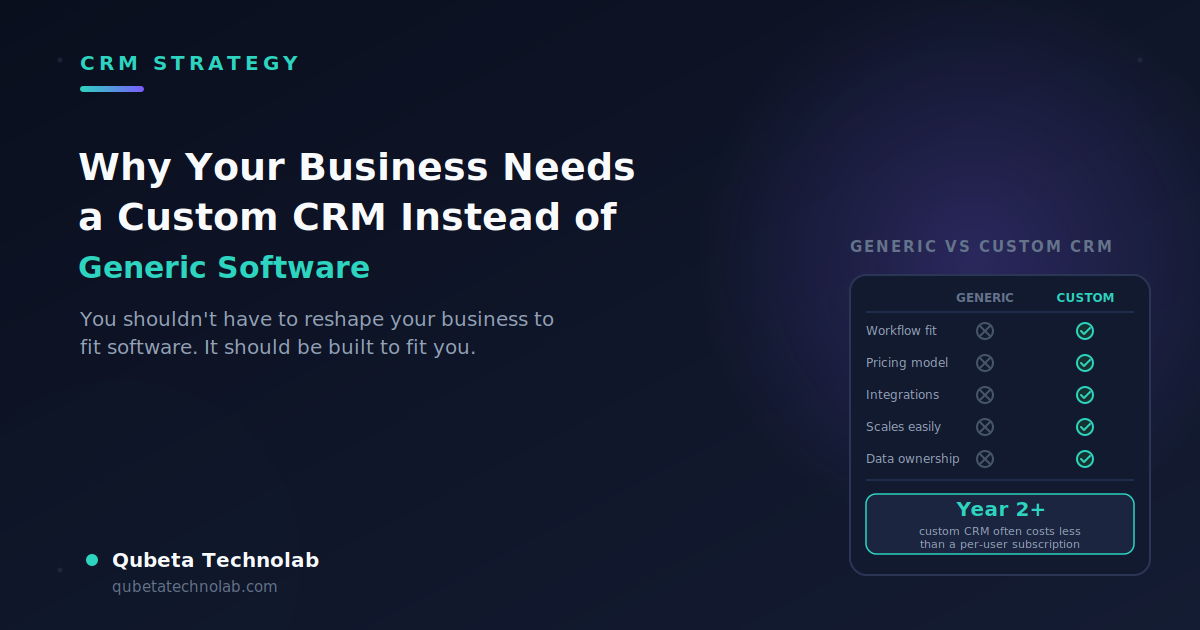
| Generic CRM | Custom CRM | |
|---|---|---|
| Fits your workflow | You adapt to it | It adapts to you |
| Pricing | Per-user, per-month, forever | One-time build + light maintenance |
| Integrations | Limited to what's pre-built | Built to connect with exactly what you use |
| Scaling | Often means switching plans or platforms | Add modules as you grow |
| Data ownership | Lives on the vendor's servers | Lives on infrastructure you control |
| Best for | Early-stage teams still figuring things out | Teams feeling real friction with off-the-shelf tools |
Now let's get into why that table looks the way it does.
Here's a scenario that plays out constantly: imagine a 15-person B2B services company running on a popular generic CRM. It handles basic contact management fine, but the sales team's actual process involves multi-stage approvals, custom pricing tiers, and a handoff to a delivery team that uses entirely different software. None of that fits the CRM's default pipeline. So the team improvises — a shared spreadsheet tracks approvals, Slack messages handle the handoff, and someone manually re-enters data into the delivery tool every week. Nothing's technically broken. It's just slow, error-prone, and nobody remembers why it works this way — it just always has. That's not a CRM failure exactly. It's a mismatch between a generic tool and a workflow it was never designed for. And it's an extremely common one.
Where Generic CRM Software Falls Short
Most CRM platforms on the market are built on a "one-size-fits-all" model. They're designed to serve as many industries and business types as possible — which means they rarely serve any single business exceptionally well.
Here's where that shows up in practice:
- Bloated with unused features: You might only need 30-40% of what the software offers, yet you're paying for and navigating the entire suite.
- Rigid workflows: Instead of the software adapting to your sales process, you end up reshaping your process to fit the tool.
- Scaling friction: As your business grows and requirements evolve, generic platforms often can't flex fast enough.
- Costly at scale: Per-user, per-month pricing adds up fast — what looks affordable at 5 users can become a significant line item at 50.
- Data control concerns: Your customer data lives on someone else's servers, which can complicate compliance in regulated industries.
The Real Advantages of a Custom CRM
1. Built Around Your Actual Workflow
A custom CRM is designed around your specific sales funnel, customer journey, and internal processes — not a generic template. Every feature exists because you need it, not because it came bundled in a package.
2. Deeper, Cleaner Integrations
Chances are you're already running other tools — accounting software, inventory systems, marketing platforms. A custom CRM can be built to integrate seamlessly with your existing stack, something generic software often struggles with because of limited or rigid API access. This is exactly the kind of work a good development partner should handle for you — for instance, Qubeta Technolab's software development services are built around this sort of deep, custom integration rather than forcing you into a fixed template.
3. Room to Scale Without Switching Platforms
As your team and customer base grow, a custom CRM can be extended with new modules and features on your timeline — not the vendor's roadmap. That means no painful mid-growth platform migrations.
4. Better Economics Over Time
Yes, custom development has a higher upfront cost than signing up for a subscription. But over 3-5 years, the math often flips. Here's a rough way to picture it: a popular CRM might run you around $50-100 per user, per month once you're on a mid-tier plan. For a 20-person team, that's roughly $12,000-24,000 a year — every year, climbing as you add people or unlock features you actually need. A custom build might cost more upfront, but from year two onward you're mostly paying for maintenance, not rebuying the same software over and over. Run the numbers for your own team size and the crossover point usually shows up faster than people expect.
5. Full Ownership of Your Data
With a custom CRM, your customer data sits on infrastructure you control — critical for industries like healthcare, finance, or education where compliance and data privacy aren't optional.
6. A Genuine Competitive Edge
When your CRM is shaped around how you actually sell and serve customers, your team moves faster and your customer experience feels more personal — both of which show up directly in retention and conversion numbers.
7. Higher Team Adoption
Software your team helped shape is software your team actually uses. Custom CRMs built around real workflows tend to see faster onboarding and less resistance than a generic tool forced onto the team.
Signs You've Outgrown Your Generic CRM
Sometimes it's obvious you need something better. Other times it creeps up on you, one small workaround at a time. A few signs worth paying attention to:
- You've built a "shadow system." Spreadsheets, Slack channels, or Notion pages that exist purely to do what the CRM can't. If your real workflow lives outside the CRM, the CRM isn't doing its job.
- Onboarding a new hire takes longer than it should. If explaining "here's the CRM, and here's the six things we actually do around it" takes half a day, that's friction compounding with every new hire.
- You're paying for a tier you don't fully use. Jumping to a pricier plan just to unlock one feature — while ignoring half of what's already included — is a strong signal the platform isn't shaped like your business.
- Integrations feel like a constant battle. If your team spends real time each week manually moving data between tools because the "integration" is really just a CSV export, that's not automation — that's a workaround wearing an automation costume.
- Your sales process has stabilized, but the software hasn't caught up. Early on, generic tools are great because your process is still changing. Once it's settled, it's worth checking whether the tool still fits.
If two or three of these sound familiar, it's probably worth at least having the conversation about custom development — even if you end up sticking with what you have.
What Building a Custom CRM Actually Looks Like
This part often feels like a black box from the outside, so here's the honest, non-technical version.
1. Mapping the actual workflow. Before any code gets written, a good development partner sits down with your sales, support, and operations teams to understand how work really moves — not how it's supposed to move on paper, but how it happens day to day, workarounds included.
2. Prioritizing the core, not the wishlist. Every team has a long list of "it would be nice if..." features. The smart move is building the core workflow first — lead capture, pipeline stages, key handoffs — and treating the rest as a later phase.
3. Building and testing in parallel with real use. Rather than disappearing for months, most modern development happens in visible chunks, so your team can flag early if something doesn't match how you actually work.
4. Migrating data carefully. This is the step people underestimate. Moving years of contact history and deal notes into a new system needs real planning — done poorly, it's the single biggest source of frustration in any CRM switch.
5. Training and iterating. A custom CRM isn't "done" at launch. The first few weeks of real use almost always surface small adjustments, and good custom software expects that and makes it easy to change.
None of this needs to be mysterious. It's closer to how you'd approach any serious operational change in your business — just applied to software.
To be fair, custom CRM isn't the right call for everyone. If you're an early-stage startup still validating your sales process, testing with a free or low-cost tool like HubSpot or Zoho CRM can be smart — you don't want to invest in custom development around a process that might change in three months. Generic tools are also reasonable if your needs are genuinely simple: basic contact tracking and email follow-ups, with no unusual workflow or integration requirements.
The moment that calculus flips is when you notice yourself building workarounds, exporting data to spreadsheets to do what the CRM can't, or paying for tiers you don't need just to access one feature.
When Custom CRM Is the Smarter Investment
Consider a custom CRM if any of the following sound like you:
- Your business model or sales process doesn't fit neatly into standard CRM workflows
- You need deep integration with multiple existing tools or systems
- Data privacy and compliance are non-negotiable for your industry
- You're scaling quickly and need a system that can grow with you
- Recurring generic CRM costs are climbing faster than the value you're getting
Frequently Asked Questions
1. Is a custom CRM only for big companies?
Not at all. It's less about company size and more about how specific your process is. A five-person team with a genuinely unusual sales workflow can benefit just as much as a 200-person company — sometimes more, since smaller teams feel the pain of a bad-fit tool faster.
2. How long does it take to build a custom CRM?
It depends on how much you're building, but a solid first version usually takes anywhere from 6 to 12 weeks. Most teams don't need every feature on day one — starting with the core workflow and adding modules later is usually the smarter path anyway.
3. Isn't custom software way more expensive than something like HubSpot or Zoho?
Upfront, yes, usually. But that's only half the picture. Subscription CRMs charge per user, per month, forever — and those costs climb as you add people or unlock higher tiers. A custom CRM is a one-time build (plus reasonable maintenance), so the total cost curve looks very different once you zoom out a few years.
4. Can a custom CRM connect with tools we already use, like our accounting or email marketing software?
Yes — and honestly, this is one of the best reasons to go custom. Instead of hoping a generic CRM has a pre-built integration for your specific tools, you can have it built to talk to exactly what you already use, the way you need it to.
5. What if our business changes down the line — can the CRM change with it?
That's the whole point of custom software. It's built to be extended, not replaced. New feature, new team, new process — you add a module instead of migrating your entire business to a new platform.
6. We're a small startup — should we still consider this?
Honestly, maybe not yet. If you're still figuring out your sales process, a free or low-cost generic tool is a smart way to start. Come back to custom CRM once your workflow has settled down and you're feeling real friction with the tool you have.
7. What happens to our existing data if we switch?
A properly planned build includes a migration phase specifically for this — moving your contacts, deal history, and notes over without losing anything. It's worth asking any development partner upfront exactly how they handle this, since a rushed migration is the most common source of headaches in any CRM switch.
8. Do we lose flexibility by going custom — like, are we stuck with whoever built it?
This is a fair concern, and it depends entirely on how it's built. Ask your development partner about documentation, code ownership, and whether you'll have access to make changes yourself or with another team down the line. A good custom CRM should never lock you in more than a generic one does — if anything, you should have more control, not less, since you own the system outright.
Conclusion
Generic CRM software can feel like a quick, low-risk starting point — and for some businesses, it genuinely is. But if you're past that early stage and starting to feel the friction of a tool that wasn't built for you, a custom CRM is usually the smarter long-term move. It fits your actual workflow, puts you in full control of your data, and grows the way your business grows — instead of you having to work around it.
If you're weighing whether a custom CRM makes sense for your business, that's exactly the kind of conversation Qubeta Technolab has with businesses across India, Australia, the UK, the USA, New Zealand, and Canada every day. No pressure, no generic sales pitch — just a straight look at your workflow and whether custom development is worth it for you. Book a free consultation and find out where you actually stand.
Explore More
Request A Call Back
Ever find yourself stuck trying to articulate your IT needs or find the right tech solutions for your business? We're here to simplify the process. Let our experts guide you toward innovative, tailored IT solutions that drive success.
