





Customized CRM Solutions for Your Business: Manage, Track & Convert More Customers
-
By Qubeta Technolab
- Aug 04, 2026

Read our latest insights on Customized CRM Solutions for Your Business: Manage, Track & Convert More Customers from Qubeta Technolab covering technology, software development, digital marketing and business growth.
In today's competitive business world, customer relationships are the foundation of long-term success. Whether you run a startup, a small business, or a large enterprise, managing leads, customers, and follow-ups manually becomes harder as you grow. This is where a Customized CRM (Customer Relationship Management) Solution changes the way you work.
A CRM helps you organize customer information, streamline sales, automate repetitive tasks, and improve communication — but every business runs differently, and that's exactly why a customized CRM beats a generic, ready-made one.
At Qubeta Technolab, we build customized CRM solutions tailored to your workflows, helping you manage customers efficiently, boost sales productivity, and grow faster. If you'd like the bigger picture first, we've also written about why your business needs a custom CRM instead of generic software.
What is a CRM?
A CRM is software designed to manage every interaction with potential and existing customers. It's a single, centralized platform to store customer data, track sales activity, automate follow-ups, and generate reports — replacing scattered spreadsheets, email threads, and sticky notes.
A good CRM helps businesses:
- Capture and manage leads
- Track every customer interaction
- Organize sales activities
- Improve team collaboration
- Automate repetitive tasks
- Increase customer satisfaction
- Generate real-time reports
The end result: better service, tighter operations, and higher profitability.
CRM vs. Spreadsheets & Manual Tracking
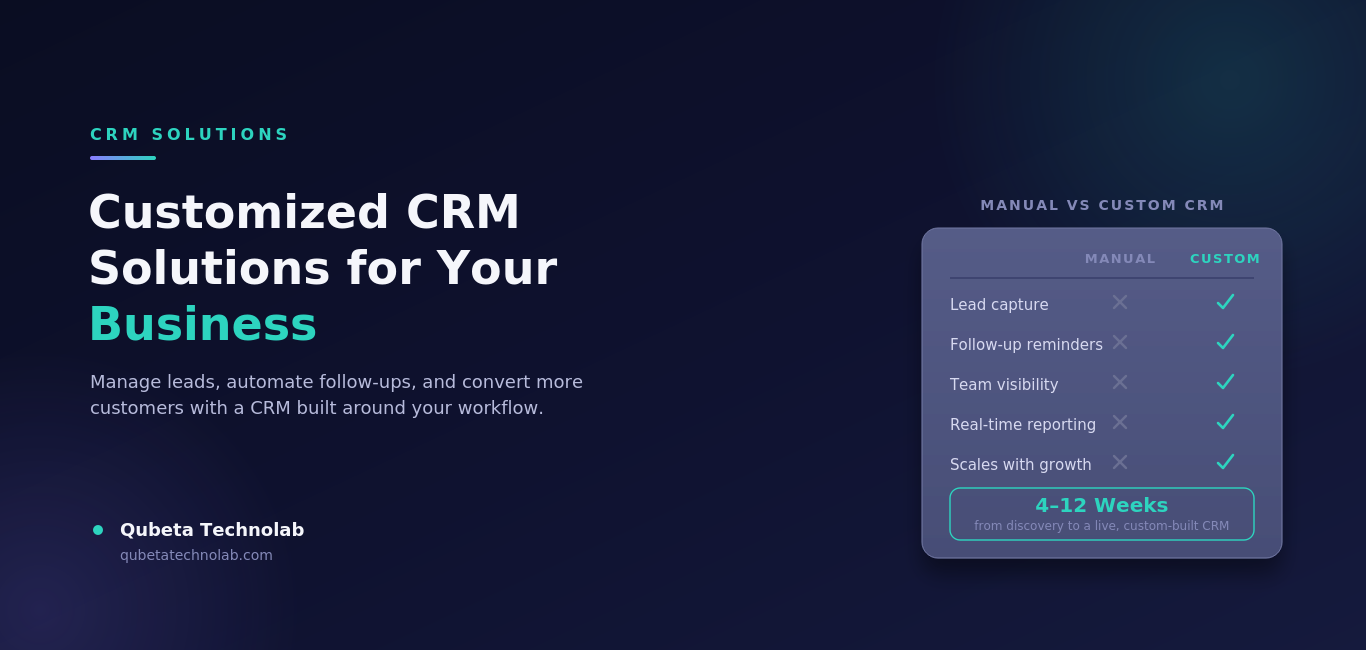
Many businesses still run on Excel sheets, WhatsApp chats, and personal notebooks. It works — until the lead volume grows. Here's what changes with a proper CRM:
| Task | Spreadsheets / Manual | Customized CRM |
|---|---|---|
| Lead capture | Manual entry, easy to miss | Automatic from every source |
| Follow-up tracking | Sticky notes, memory | Automated reminders |
| Team visibility | Scattered across files | One shared dashboard |
| Reporting | Manual, time-consuming | Real-time, one click |
| Customer history | Spread across emails/notes | Centralized customer profile |
| Scalability | Breaks down as you grow |
Grows with your business |
The gap widens fast once you're handling more than a handful of leads a week — which is exactly where most businesses start losing revenue without realizing it.
Why Your Business Needs a Customized CRM
Ready-made CRM tools are built for the "average" business — which means they're often stuffed with features you'll never use, while missing the two or three things your actual sales process depends on.
A customized CRM is built around your workflow, so every feature earns its place.
Benefits of a customized CRM:
- Personalized dashboard for your team
- Workflows that match how you actually sell
- Easy scalability as you grow
- Better employee productivity
- Improved customer experience
- Stronger data security
- Faster day-to-day operations
- Higher return on investment
Instead of forcing your business to fit the software, a customized CRM adapts to you.
Key Features of Our Customized CRM Solutions
1. Lead Management
Leads are where every sale begins. Our CRM captures them from your website, Google Ads, Facebook Ads, Instagram, WhatsApp, referrals, and phone inquiries — all in one place.
Your sales team can:
- Store lead information
- Assign leads to the right team member
- Track lead status in real time
- Schedule follow-ups automatically
- Convert prospects into paying customers
No lead falls through the cracks.
2. Sales Pipeline Management
A visual pipeline tracks every opportunity from first inquiry to closed deal:
New Inquiry → Qualified Lead → Proposal Sent → Negotiation → Won / Lost
This gives business owners and sales managers a clear view of performance and where deals are getting stuck.
3. Customer Relationship Management
Everything about a customer — contact details, communication history, emails, meeting notes, support tickets, purchase history, and documents — lives in one record. Your team responds faster and serves customers more personally because they're never digging through five different tools to find context.
4. Task & Follow-Up Automation
Timing makes or breaks conversions. Our CRM automates:
- Follow-up reminders
- Email notifications
- Meeting scheduling
- Task assignments
- Payment reminders
- Birthday and anniversary touchpoints
Less manual tracking, fewer missed opportunities.
5. Reports & Business Analytics
Real-time dashboards give you visibility into lead generation, sales performance, revenue growth, team productivity, and conversion rates. If you want to go deeper on turning this data into decisions, our team has written about how data analytics makes CRM and ERP systems actually work for you — and we offer this as a standalone Data Analytics service too.
6. Employee & Team Management
Managers can assign tasks, track daily activity, monitor follow-ups, and measure performance against targets — all from the same dashboard, improving accountability across the team.
7. Third-Party Integrations
A CRM gets more powerful when it talks to the tools you already use — WhatsApp Business, email platforms, SMS gateways, Google Calendar, ERP software, accounting tools, and payment gateways. If you're running CRM, ERP, and HRMS separately, it's worth reading how one connected platform drives better business control and growth.
Our CRM Development Process
Building a CRM that actually fits your business takes more than picking features off a list. Here's how we approach it at Qubeta Technolab:
1. Discovery & Requirement Analysis We start by understanding your sales process, team structure, existing tools, and pain points — not assuming what you need, but asking.
2. Workflow Mapping Your lead stages, approval flows, and follow-up cycles are mapped out before a single line of code is written, so the CRM mirrors how your team actually works.
3. UI/UX Design A clean, role-based dashboard is designed so sales reps, managers, and admins each see exactly what's relevant to them — nothing more, nothing less.
4. Development & Integration Our developers build the core CRM and connect it with the tools you already use — WhatsApp, email, ERP, accounting software, or payment gateways.
5. Testing & Quality Assurance Every workflow, automation, and integration is tested thoroughly before go-live to avoid disruptions to your live sales process.
6. Deployment & Training We deploy your CRM on a secure, cloud-based platform and train your team so adoption is smooth from day one.
7. Ongoing Support CRM needs evolve as your business grows. We provide continued technical support, updates, and feature additions as needed.
How Much Does a Customized CRM Cost?
Pricing depends on the complexity of your workflows, the number of integrations, and the size of your team. In general:
- Basic CRM (lead management, pipeline, basic reporting): suited for small teams and startups
- Mid-level CRM (automation, multiple integrations, custom dashboards): suited for growing SMEs
- Enterprise CRM (advanced analytics, multi-department workflows, ERP/HRMS integration): suited for larger organizations
Rather than quoting a generic number, we assess your actual requirements first — so you pay for what your business needs, not a bloated feature list. Get in touch for a free consultation and a clear cost estimate.
Common CRM Implementation Mistakes to Avoid
Even a well-built CRM can underperform if it's implemented poorly. Watch out for these common mistakes:
- Choosing a generic CRM "because it's cheaper" — then paying more later in workarounds and lost productivity
- Skipping team training — a CRM only works if your team actually uses it
- Overcomplicating the pipeline — too many stages confuse reps more than they help
- Not integrating existing tools — forcing your team to switch between systems defeats the purpose
- Ignoring data migration planning — messy imports lead to duplicate or lost customer records
- No ownership post-launch — someone on your team should own CRM adoption and data hygiene
A customized approach — built with your workflow in mind from day one — avoids most of these issues before they happen.
Real Business Example
A mid-sized service business was getting 120+ inquiries a week across its website, WhatsApp, and Google Ads — all tracked manually in spreadsheets.
Before the CRM:
- Leads sat unassigned for hours, sometimes days
- Follow-ups were forgotten roughly 1 in 4 times
- Customer history was scattered across emails and notebooks
- Sales opportunities quietly slipped away every week
After a Customized CRM from Qubeta Technolab:
- Every inquiry was captured and auto-assigned within minutes
- Automated reminders cut missed follow-ups to near zero
- Managers could see team performance on one dashboard
- Lead-to-customer conversion improved noticeably within the first quarter
The takeaway: the CRM didn't add more work — it removed the gaps where revenue was leaking out.
Signs Your Business Needs a CRM Right Now
Not sure if it's time? These are the clearest signals:
- Leads are being tracked across multiple spreadsheets, chats, or notebooks
- Follow-ups are missed or delayed regularly
- You can't tell, at a glance, where each deal stands in the pipeline
- Sales reports take hours (or days) to put together
- New team members take too long to get up to speed on customer history
- You're losing track of which lead came from which marketing channel
If two or more of these sound familiar, a customized CRM will likely pay for itself within the first few months through recovered leads alone.
Industries That Benefit from CRM Solutions
Our customized CRM software fits businesses across:
IT Companies · Digital Marketing Agencies · Real Estate · Healthcare · Manufacturing · Retail · Education · Logistics · Finance · Insurance · Travel & Tourism · Automobile · E-commerce · Service-Based Businesses
Whatever your industry, we build the CRM around your business objectives — not the other way around.
Why Choose Qubeta Technolab?
We don't sell one-size-fits-all CRM software. As a full website and software development company, we build CRM solutions that match your exact business processes and future growth plans.
Our CRM solutions include:
- Fully customized CRM development
- User-friendly dashboard
- Secure, cloud-based platform
- Mobile-responsive design
- API & third-party integrations
- Fast performance, scalable architecture
- Affordable pricing
- Ongoing technical support
Want to know more about our team and approach? Read more about Qubeta Technolab, or explore our full range of services.
Frequently Asked Questions
1. What is a Customized CRM?
Software built specifically around your business requirements and workflows, instead of standard pre-built features.
2. Which businesses need CRM software?
Startups, SMEs, and large enterprises all benefit from a CRM to manage customers, sales, and operations more efficiently.
3. Can CRM integrate with ERP software?
Yes — our customized CRM integrates with ERP systems, WhatsApp Business, accounting software, payment gateways, email platforms, SMS services, and more.
4. Is a customized CRM better than ready-made CRM software?
Yes. It offers more flexibility, better scalability, higher productivity, and features built specifically for your processes.
5. How long does CRM development take?
Most customized CRM projects are completed within 4 to 12 weeks, depending on complexity.
6. Is CRM suitable for small businesses?
Absolutely. It helps small businesses organize leads, improve communication, automate tasks, and grow sales without adding operational complexity.
7. Can an existing CRM be upgraded or customized instead of building a new one?
In many cases, yes. If your current CRM is close to what you need, we can extend it with custom features and integrations instead of a full rebuild — we'll assess this during the discovery phase.
8. Will my data be secure on a customized CRM?
Yes. Our CRM solutions are built on a secure, cloud-based platform with role-based access control, so sensitive customer data is only visible to the team members who need it.
Ready to Grow Your Business?
Managing customers should be simple, organized, and efficient. With a Customized CRM Solution from Qubeta Technolab, you can streamline sales, automate follow-ups, and make smarter decisions with real-time insights.
Book a Free CRM Demo Today!
📞 Phone: +91 90330 12100 🌐 Website: qubetatechnolab.com ✉️ Get in touch: Contact Us
Explore More
Request A Call Back
Ever find yourself stuck trying to articulate your IT needs or find the right tech solutions for your business? We're here to simplify the process. Let our experts guide you toward innovative, tailored IT solutions that drive success.
